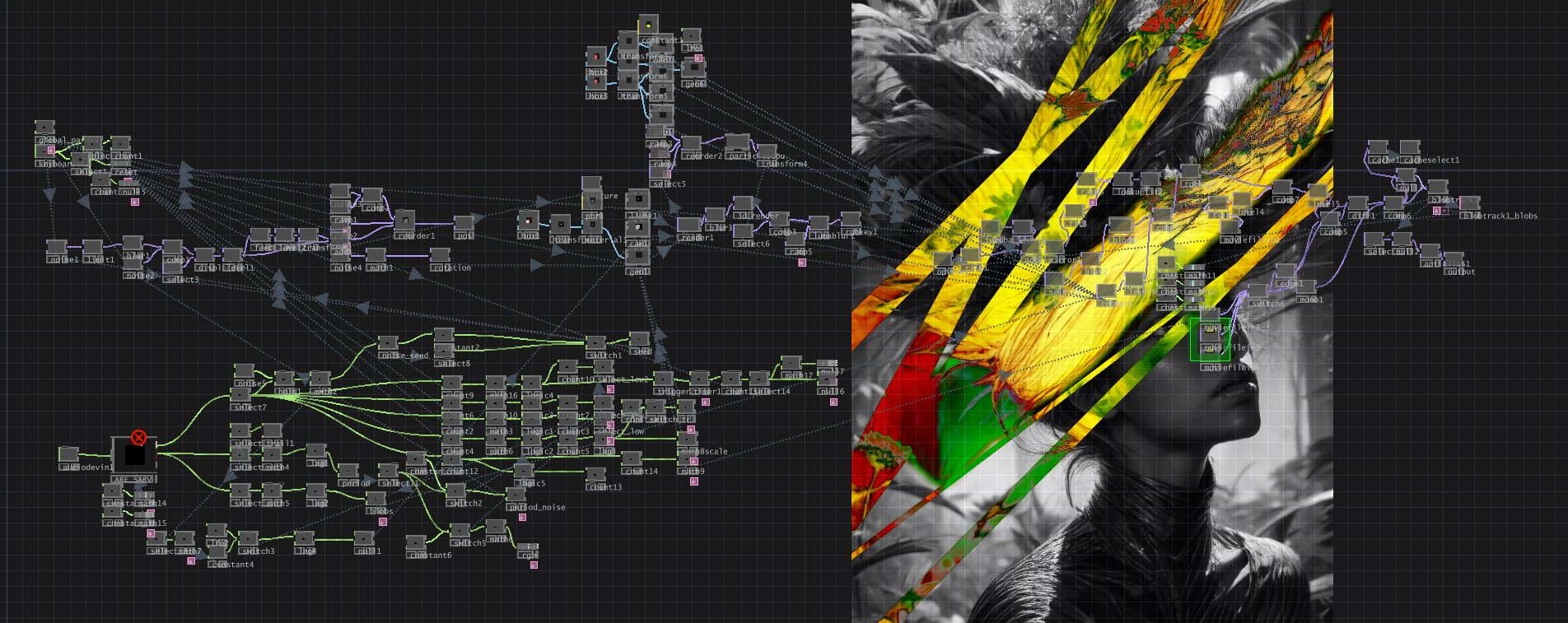
I start with an image, not a video.
Usually that means generating a lot of stills first, often with something like Flux, then choosing the ones that feel like they already have motion trapped inside them. I am looking for shape, mood, palette, tension and the kind of image that might hold up once it starts moving on a screen behind music.
That part matters because I don't think of ai video as a finished product. The first render is raw material. It still has to survive iteration, color correction, loop cutting, loop repair, real upscaling and then the live side of the process in TouchDesigner and sometimes Resolume.
The goal is not just to make a cool clip. The goal is to make something I can actually use in performance.
This is the pipeline I keep coming back to.
the current core workflow
My current core setup is a Wan AnimateDiff workflow, a low-noise V2V correction pass and a loop fixer workflow.
I used to spend more time in SD1.5 and older AnimateDiff workflows and I still like that lineage, but it is not the center of what I am doing now. Wan AnimateDiff generates motion that feels more interesting to me and my Windows workstation with a Pro 6000 Blackwell can handle that kind of iteration comfortably.
One thing I like about this space is that a lot of the generative side is built on open-source tools. ComfyUI, Wan, Flux, LoRAs and all the surrounding workflow logic mean that anyone can experiment with a version of this pipeline if they are willing to put the time in.
The thing I love about ComfyUI is that it becomes a library. Over time you build up stills, clips, prompts, branches and workflows that you can revisit whenever you want to return to a certain style.
start wide, then choose
My process is not about getting one perfect result on the first try. It is the opposite.
I make a lot of generations. Then I keep the ones that have the most life in them. Then I iterate on those.
The reason I start wide is simple: a lot of ai generations are just bad. They are generic, muddy, overcooked or they lose the thing that made the starting image interesting. If I am not selective early, I end up spending time refining clips that were never worth saving in the first place.
That sounds simple, but it changes the whole feel of the workflow. I am not trying to force one render to become great. I am trying to generate enough variation that something surprising appears, then I can push that result further.
The initial Wan AnimateDiff generation is where a lot of that happens. I will start with a still or a strong image idea, run a ton of generations and then use the low-noise V2V correction pass to clean up the pixels or motion. I care much more about whether the image stays visually alive than whether it looks perfectly realistic. I am optimizing for wild visuals.
I care about whether the motion feels good, whether the image keeps its identity and whether the final result will still be strong once it is looped and pushed into a live environment.
correct the color
Once the motion is working, I usually need to level the clip before I treat it as done.
That is partly because V2V cleanup can solve one class of problems while still leaving uneven levels or color instability behind. If I do not correct that, the loop will often feel off even if the motion itself is strong.
So there is a separate color correction stage in the pipeline before I commit to a real upscale. The point is not to reinvent the image. It is to stabilize it enough that the color holds together and the loop can actually work.
only upscale once the clip earns it
I do not want to spend final-render time on every test.
First I want to know that the clip is worth keeping. Then I want to know that the motion holds up. Then I want to know that the colors are stable and the loop can actually close cleanly.
Only after that do I bother with a real upscale for delivery.
For me, upscaling is not the interesting part of the pipeline. It is important, but it comes after the clip proves itself. The creative decisions happen earlier.
cut the loop, then repair the seam
A clip can look great and still fail as a loop.
This is one of the biggest differences between making ai video for a feed and making visuals that have to repeat in a live context. On a stage or a large surface, the seam becomes obvious fast. Small tonal problems turn into big ones.
So after the motion is working, I use a separate loop-cutting workflow to decide where the seam should land and how the cadence should close. That step is about structure and timing.
After that, I usually run LoopLift, a tool I made for cleaning up color and tonal problems in looped clips. LoopLift is not the thing that decides seam placement. It comes after the loop has already been cut and it is there to fix gray pockets, lifted blacks, haze and the little pop that can still remain around the join.
That balance matters a lot to me. I want the blacks and levels to lock in, but I do not want to flatten the color or wash out the strange details that made the clip interesting.
live clip
a short clip from a live performance setup in San Francisco.
audio-reactive scenes
My love of music is the whole reason I make visuals.
Once the clip is stable enough, I bring it into TouchDesigner and the live side of the process starts. That is where the visuals stop being just exported media and start becoming responsive material. Audio analysis, motion response, distortion, feedback, layering and control all start to matter more than the original render by itself.
Most of the instagram examples I post are audio reactive in some way. A lot of that response layer comes from using SARV's audio analysis tool inside TouchDesigner. That is a big part of what I love about this work. I do not just want visuals that sit behind music. I want visuals that feel connected to it.
I also want room for manual control. Audio reactivity alone is not enough. I want to be able to route TouchDesigner into the live setup, turn knobs, push effects and shape the visuals in real time beyond whatever the automatic reaction is doing.
Sometimes Resolume is part of that final handling layer too, but I think about it more as practical live support than the heart of the process. The heart of the process is getting the clip into a form that can respond and be played with.
what I am actually optimizing for
When I make ai visuals for live performance, I am asking:
- Does this image still feel strong once it starts moving?
- Can I generate enough variation to discover something worth keeping?
- Can I fix the seam without killing the video?
- Can I level the color so it loops cleanly?
- Can I make it respond to music in a way that feels alive?
- Can I still perform with it once it is live?
That is the pipeline.
Generate widely. Choose carefully. Iterate. V2V. Correct the color. Upscale only when it earns it. Repair the seam for the loop. Then bring it back into music.
The render is not the endpoint. It is the midpoint.
If you want to go deeper into the open-source side of this world, I highly recommend looking up Banodoco. Their site points into a Discord community that stays close to the technical and artistic edge of ai art, and it is a good place to keep up with the community-driven side of these workflows.
loop example