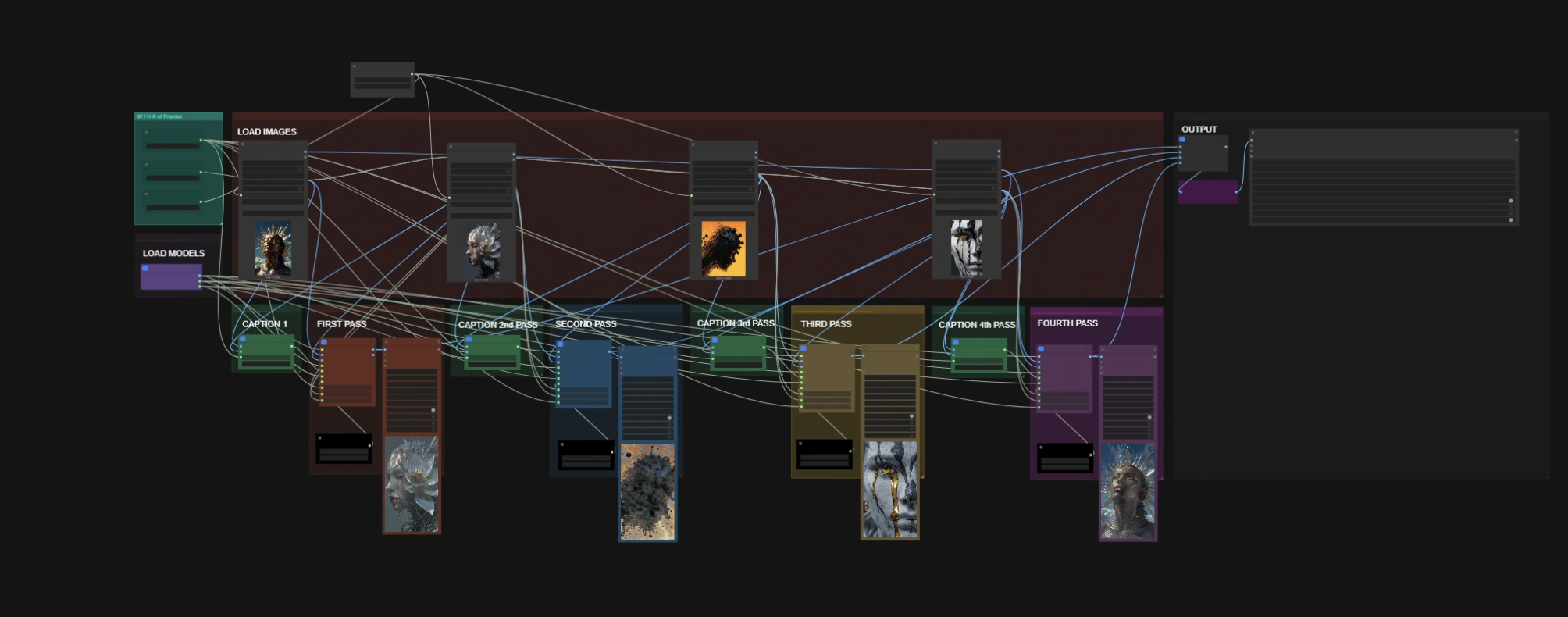
A lot of ComfyUI writing focuses on the model.
That makes sense. Models are usually where the most visible jumps happen, and they are what people notice first: better motion, better detail, better coherence.
But when I am actually building visual systems in ComfyUI, the friction is usually somewhere else. It is in cycling source images, keeping one good input while the rest keep moving, padding a sequence so Wan or LTX will accept it, or masking video without leaving the graph.
That is why I built ComfyUI Lostless Nodes. It is a small node pack for the repeated problems that make a workflow usable more than once.
the friction is usually smaller
A graph can be technically correct and still be annoying to use.
You can have the right model and the right settings and still lose time on the boring parts around them. Those parts matter more once a workflow needs to be reopened, taught, repeated or used under pressure.
That is the standard I care about. Not just whether a graph can work, but whether it keeps working.
random image plus randomize button
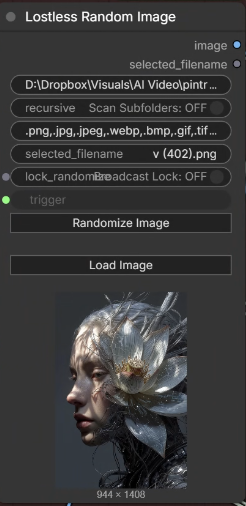
The first pair is Lostless Random Image and Lostless Randomize Button.
Lostless Random Image points at a folder and picks a source image, while still letting me manually choose one in the node UI when I need to. Lostless Randomize Button plugs into as many Lostless Random Image nodes as I want, so one click can re-roll every connected image slot in the graph.
That matters most at the start of my Wan Animate workflows. I can cycle through possible starting images quickly, then use the per-node Broadcast Lock toggle to keep the one good source fixed while the rest keep changing.
The usability gain is simple: the front of the workflow stops feeling like file management and starts feeling like iteration.
buffer solves the frame-count problem
Lostless Buffer exists because Wan and LTX care about frame counts. A sequence can look right and still be wrong for the next stage of the pipeline.
The node fixes that by duplicating the last frame until the sequence satisfies Wan(4n+1) or LTX(8n+1). If a short clip would otherwise get its last few frames lopped off, the graph can absorb the mismatch and keep moving.
That is not a glamorous feature, but it is exactly the kind of thing that matters in production.
masking video inside comfyui
Lostless Mask Editor is the part I use most when I need to work through video masks fast. It is especially useful in inpainting workflows and Wan Animate workflows, where I want to paint or erase while moving through a batch of frames and keep the mask coherent as I go.
That is useful for a simple reason: I do not want to round-trip into After Effects just to mask a video. I want to stay inside ComfyUI, move quickly and keep the workflow intact.
Lostless Image To Mask is the smaller handoff node in that process. It turns image sequences into mask outputs I can feed forward through the graph or back into the mask editor.
small on purpose
The pack is there to do a few specific jobs well:
- randomize multiple source-image slots with one control
- lock a useful source while the rest keep exploring
- pad sequences so Wan and LTX get the frame counts they expect
- mask video inside ComfyUI instead of bouncing to another app
- turn image masks into usable mask outputs when the workflow needs them
The point is not to make a giant node suite. The point is to remove the repeated little fixes that make a workflow brittle.
If the graph can hold state, absorb format mismatches and stay usable under pressure, the creative part goes faster.
available now
ComfyUI Lostless Nodes is available on GitHub and through ComfyUI Manager.
The current pack is focused: Lostless Random Image, Lostless Randomize Button, Lostless Buffer, Lostless Mask Editor and Lostless Image To Mask. I will keep adding to this node pack as I continue to hit more workflow friction and make nodes to solve specific problems.